made by
Your business card,
always current.
A personal contact page and a home-screen card for your phone — instead of paper business cards. You print nothing, not once: less waste, zero printing costs, no matter how often your details change.
Email: [email protected]Card and Profile
Card
Profile
A page on your phone that works like an app — a virtual business card with a QR code.
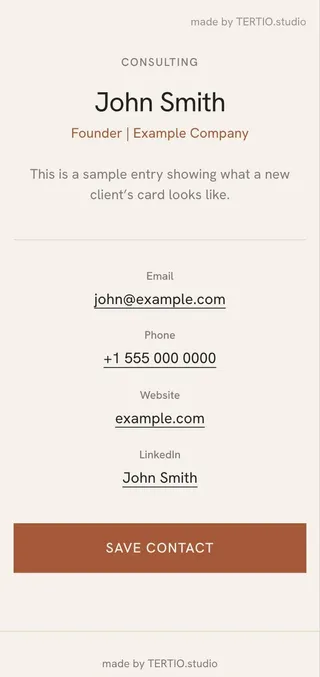
A page with your contact details that saves itself, in one tap, to the contacts of whoever you meet.

How it works, step by step
01
You add your Card to your phone’s home screen
Once, at the start: you open the link in your browser and choose "Add to Home Screen." From then on it’s there like any other app — one tap, no login, no searching.
02
At a meeting, you present your Card
Instead of digging for a paper card — you unlock your phone and tap the icon. Your photo, details and a large QR code are right there.
03
The other person scans the code with their regular camera
No extra app needed — their phone’s camera is enough, it recognises the code automatically.
04
Your detailed Profile opens
A separate, public page with your details: email, phone, website, LinkedIn.
05
Your contact is saved in one tap
"Save contact" on the Profile — and all your details, photo included, go straight into the other person’s phone contacts. Nothing to type by hand.
Want to see it live, instead of reading about it?
See an example card →What it costs
Card
95 zł71 zł-25%
Card and Profile in your chosen style — a one-time fee, no subscription.
Custom logo and colour
+20 zł
A surcharge if you’d like your card with your own logo and brand colour, instead of one of the ready-made styles.
Data update
+15 zł
For each change to your details after publishing — e.g. a new phone number or job title.
How we work
01
Conversation
We set up a short, non-technical briefing to gather your details and preferences.
02
Preparation
Both pages described above come to life — Card and Profile, ready to use.
03
Presentation
Wherever you introduce yourself, you share one link, one QR code — your virtual business card.